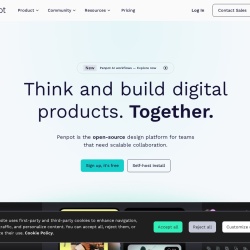
Open-source design platform for scalable collaboration
Free planAPIFreemium
penpot.appFree
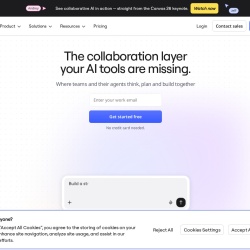
The collaboration layer your AI tools are missing
InVision is a Design tool. The collaboration layer your AI tools are missing
Miro is an innovation workspace designed for team collaboration, integrating AI to accelerate workflows. It features an intelligent canvas for multiplayer teamwork, supports various formats like Docs, Tables, Slides, and Diagrams, and offers blueprints for automating key processes. The platform connects with over 250 apps and provides enterprise-grade security and scalability, trusted by over 250,000 companies globally.
👍 Best for
Pricing model: Unknown. No plan details yet.
The platform emphasizes quick idea-to-outcome flows and user-friendly templates.
Confidence: 80%
Offers extensive features like AI workflows, multiple formats, and 250+ integrations.
Confidence: 90%
Supports over 250 app integrations, highlighting strong interoperability.
Confidence: 90%
Community and academy resources are mentioned, but direct support details are lacking.
Confidence: 50%
Wide adoption by 250,000 companies suggests good value, but pricing details are unclear.
Confidence: 70%
Miro enhances team collaboration with AI-driven tools and extensive integrations, suitable for diverse workflows from research to enterprise planning.
Share your experience to help the community.
Sign in to reviewA Robust AI-Powered Collaboration Hub
Miro stands out as a comprehensive collaboration platform that integrates AI to streamline team workflows. Its strength lies in the versatile canvas that supports various formats and extensive app integrations, making it a solid choice for teams aiming to enhance productivity. While the platform boasts impressive adoption rates and feature depth, the lack of transparent pricing and detailed support information slightly dampens its appeal. Nonetheless, for enterprises and teams focused on scalable, secure collaboration, Miro offers a compelling solution.
No suggestions yet — contribute to improve this page.
No discussion yet — start the conversation.
Open-source design platform for scalable collaboration
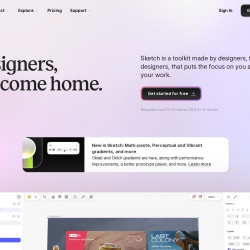
Designers, welcome home.
Wireframe, Diagram & Whiteboard Online
UI/UX design and prototyping for digital products.
Visit the InVision website and create a new account to access the collaborative AI workspace.
Familiarize yourself with the main multiplayer canvas, which is the core workspace for team collaboration and ideation.
Start a new project by selecting from available templates or choosing a document format like Docs, Tables, Slides, or Diagrams.
Add team members to your workspace to begin real-time, multiplayer collaboration on projects and workflows.
Explore the app integrations to connect InVision with other software your team uses, enhancing your workflow.
Look for automation blueprints or features within the platform to set up and streamline a recurring team process.
Pricing information for InVision is not provided in the available facts. You should visit the official InVision website to check their current plans and pricing.
The provided facts do not specify if InVision offers a free plan. It is best to check their official pricing page for the most accurate information on available tiers.
Based on the description, InVision is described as a collaborative AI workspace. Potential alternatives could include other major collaborative design and whiteboarding platforms like Miro, Figma, or Mural, but specific comparisons are not provided in the facts.
Yes, according to the provided use cases, InVision is suitable for creating diagrams and conducting workshops, as part of its collaborative AI workspace functionality.
Facts on this page are attributed to their source and verification status where available. Primary source: invisionapp.com.
Versioned field history and change tracking will appear here as the tool is enriched and updated (Phase 2+).